GMKtec M3 Pro: A Power-Sipping Mini PC for the Load-Shedding Office
Compiled by the Server Hub newsroom · Edited by Humphrey Theodore K. Ng’ambi
Updated 28 August 2026
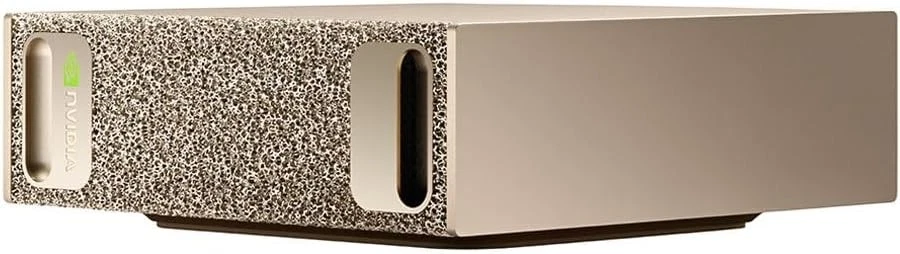
With 12 cores, triple-4K display support, and remarkably low power consumption, the GMKtec M3 Pro is a compelling choice for South African businesses seeking productivity and resilience, even if its platform is starting to age.
The GMKtec M3 Pro mini PC presents a compelling package for the modern South African office, blending strong multi-core performance with impressive energy efficiency. According to a new review from PCWorld, its combination of a 12-core Intel processor and a high-quality chassis makes it a productivity workhorse. For local buyers, its low power draw is a standout feature, promising resilience during load-shedding.
Serious Performance for Office Productivity
At the core of the M3 Pro is an Intel Core i5-13500H processor, which features 12 cores and 16 threads. This provides significant headroom for demanding multitasking. PCWorld's testing showed a PCMark 10 score of 6,427, which translates into a snappy, responsive experience for everyday business applications, extensive web browsing with many tabs, and video conferencing.
The test unit was equipped with 32GB of DDR4 RAM running in dual-channel mode, which is generous for this class of device. This configuration ensures smooth operation when juggling multiple applications and large files. While a 16GB version is available, opting for 32GB is a wise investment for future-proofing against more demanding software.
For content creation, the system scores a respectable 6,866 points in PCMark 10's relevant benchmark. This indicates it is more than capable of handling simple video editing and photo manipulation. However, the integrated Intel Iris Xe graphics mean it will struggle with complex 4K video projects that involve numerous effects.
The internal 1TB NVMe SSD delivers solid PCIe 3.0 speeds, with read rates of 3,365MB/s and write speeds of 2,631MB/s. This ensures fast boot times and quick application loading, contributing to the overall fluid feel of the system in daily use.
Connectivity and Expansion in a Compact Form
GMKtec has housed the M3 Pro in a sturdy, CNC-milled aluminium casing topped with a tempered glass lid, giving it a premium feel. Measuring just over 12cm square and 5cm tall, its 0.83-litre volume is standard for a mini PC, allowing it to be tucked away neatly behind a monitor to save desk space.
A key strength is its ability to drive up to three 4K displays simultaneously via its two HDMI ports and a versatile USB-C port that supports DisplayPort. This makes it an excellent choice for financial traders, developers, and designers who rely on extensive screen real estate. Fast networking is also covered, with a 2.5Gbit LAN port and onboard Wi-Fi 6.
Inside, the M3 Pro offers room for growth. Alongside the primary 1TB NVMe drive, a second M.2 slot is available for adding another SATA or NVMe SSD, allowing for terabytes of storage expansion. One minor critique noted by PCWorld is the lack of a front-facing USB-C port, requiring users to reach around the back to connect modern peripherals.
The Load-Shedding Advantage vs. an Ageing Platform
For South African businesses, the M3 Pro's power efficiency is a major selling point. The system consumes just 10 watts at idle and only rises above 50 watts under heavy load. This low power draw means it can run for extended periods on a small uninterruptible power supply (UPS) or inverter, ensuring productivity is maintained through load-shedding stages.
The trade-off for this efficiency and potential value is the age of the platform. The Core i5-13500H processor was released in early 2023. As PCWorld highlights, it lacks a dedicated Neural Processing Unit (NPU) and faster integrated graphics found in the latest Intel Core Ultra and AMD Ryzen AI chips. This makes it a poor choice for users focused on local AI applications.
Similarly, the integrated Iris Xe graphics are not suitable for modern gaming, managing only 8 frames per second in the Steel Nomad Light test. While it can handle older titles and 4K video playback flawlessly, it is clearly positioned as an office machine, not a gaming rig. Buyers should be aware of these limitations.
One final note for IT managers is that the review found Secure Boot was disabled by default in the UEFI. This is a crucial security feature that should be enabled upon deployment to ensure the system is properly protected.
Our Verdict for South African Buyers
The GMKtec M3 Pro is a solid and reliable choice for businesses and home offices that prioritise productivity, multi-monitor support, and energy efficiency. Its performance in standard office applications is excellent, and its low power consumption makes it a smart, resilient choice in the face of unpredictable power supply.
The decision to buy now comes down to your specific needs. If you require a dependable workhorse for office suites, web tasks, and light media work, the M3 Pro offers a well-rounded package. The slightly older platform may also translate to a more accessible price point compared to the latest-generation hardware.
However, if your workflow involves demanding graphics, modern gaming, or exploring the potential of local AI tools, you will quickly hit the limits of this machine. In that case, it would be prudent to invest in a newer mini PC equipped with a more recent processor with a dedicated NPU and more powerful graphics.
Frequently asked questions
- Can this mini PC run on a small UPS during load-shedding?
- Yes, absolutely. Its very low power consumption, especially when idle or doing light office work, means that even a modest home or office UPS can provide hours of runtime, making it a very load-shedding-resilient option.
- Is the GMKtec M3 Pro suitable for heavy video editing or graphic design?
- It's capable of handling basic photo editing and simple HD video projects. However, for professional 4K video editing, complex visual effects, or 3D rendering, the integrated Intel Iris Xe graphics will be a significant bottleneck. A machine with a dedicated graphics card would be a better choice. What should I consider regarding warranty and support for an international brand like GMKtec? While GMKtec uses standard, reliable components from Intel and RealTek, local support is key. Always confirm the warranty period, return policy, and service procedures with your South African supplier before purchasing to ensure you have a clear path for support if needed.
Browse at Server Hub
Sources
Compiled by the Server Hub newsroom from the reporting above. Every factual claim is checked against those sources before publication, and every source is linked so you can verify it yourself. How we work.
The Server Hub briefing
South African IT hardware news, once a week.
What’s new, what it costs in rand, and what it means for the kit you run — servers and storage, networking, backup power, surveillance and print. Every claim checked against a named source.