Geekom IT13 Max Review: A Dual-LAN Workstation Mini PC for South African Businesses
Compiled by the Server Hub newsroom · Edited by Humphrey Theodore K. Ng’ambi
Updated 27 August 2026
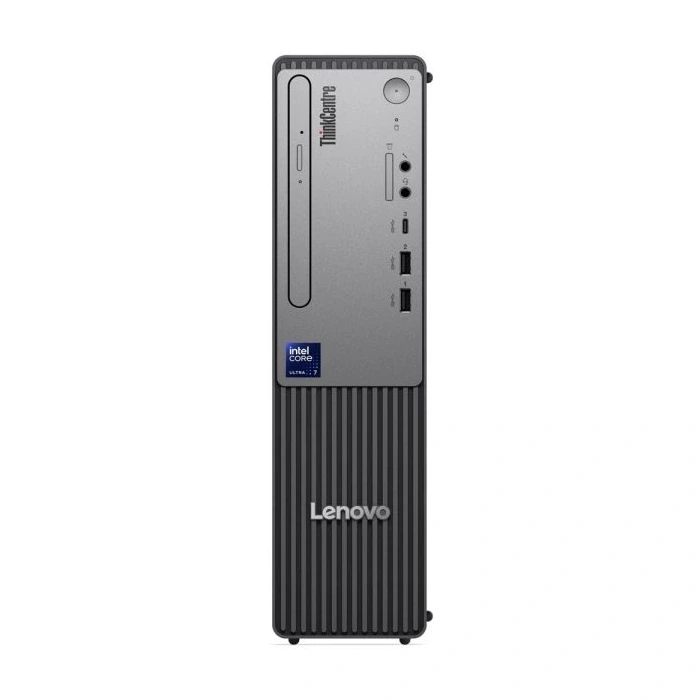
The Geekom IT13 Max packs an Intel Core Ultra 9 185H and dual 2.5GbE ports into a robust chassis, making it a highly capable edge server or workstation for local deployments.
The desktop replacement market is shifting rapidly, and the Geekom IT13 Max demonstrates exactly why businesses are moving away from bulky towers. Featuring an Intel Core Ultra 9 185H processor and dual 2.5Gbit Ethernet ports, this mini PC offers serious workstation capabilities. It provides South African IT managers with a compact, highly capable machine for edge networking and demanding office environments.
Processing Power and Edge Capabilities
According to PCWorld, the Geekom IT13 Max is built around the Intel Core Ultra 9 185H processor. This 16-core, 22-thread chip belongs to the Meteor Lake generation. It handles heavy multitasking, large spreadsheets, and moderate virtual machine workloads with ease. The processor reaches a maximum turbo frequency of 5.1GHz.
The system includes a dedicated Intel AI Boost neural processing unit delivering 11 TOPS, contributing to a total system output of 35 TOPS. The unit ships with 24GB of LPDDR5 memory. Buyers must note that this RAM is permanently installed and cannot be upgraded later, which requires careful capacity planning before deployment.
Storage is handled by a 500GB Kingston NV3 PCIe 4.0 solid-state drive, achieving sequential read speeds over 5,400MB/s. You can expand capacity using an additional M.2-2242 SATA slot, supporting up to 6TB in total. Because it draws a maximum of 65 watts, this mini PC is exceptionally easy to keep running on standard UPS backups during load-shedding.
Networking and Multi-Display Connectivity
The standout feature for technical buyers is the inclusion of dual 2.5Gbit Ethernet ports. This configuration transforms the compact machine into a highly capable hardware firewall or edge router. South African network administrators can easily segment local networks or manage dedicated failover lines without requiring bulky rack-mounted equipment.
Wireless connectivity is equally robust, featuring Wi-Fi 7 via an Intel BE200 module and Bluetooth 5.4. The front panel houses four accessible 10Gbit/s USB-A ports and a 3.5mm audio jack. The rear panel adds two USB4 ports capable of 40Gbit/s speeds, alongside additional USB-A connections for legacy peripherals.
Display connectivity is excellent for multi-monitor workstations or control room environments. The system supports up to four simultaneous displays using the two USB4 ports and two HDMI 2.0 outputs. The hardware is even capable of driving an 8K display configuration, making it suitable for high-resolution digital signage deployments.
Build Quality and Thermal Management
The black chassis measures 5.35 by 5.19 by 1.97 inches, giving it a slightly larger footprint than typical budget mini PCs. This extra volume houses an internal metal frame and a robust base plate. The sturdy construction ensures the device can withstand the rigours of active office or industrial environments.
Geekom utilises this additional space for its IceBlast 3.0 cooling system. The case features large ventilation areas on the sides and above the rear ports to manage the 45-watt base power consumption of the processor. Effective thermal management is critical for maintaining performance during sustained multi-core workloads.
During standard office tasks, the system remains virtually silent. However, when pushing the processor or the integrated Intel Arc graphics with heavy workloads, the cooling fan becomes clearly audible. While the noise is steady, buyers should consider placement if deploying the unit in a completely quiet home office setting.
Market Positioning and Purchasing Strategy
While the Core Ultra 9 185H remains highly capable, it is technically a previous-generation component from late 2023. Newer platforms featuring Panther Lake or Ryzen AI processors offer superior neural processing performance and better power efficiency. The IT13 Max sits comfortably between the classic mid-range and the absolute top-tier segment.
The integrated Intel Arc graphics, featuring eight Xe cores, represent a massive leap over older Iris Xe systems. It handles multimedia applications and hardware encoding brilliantly. While it scores well in synthetic benchmarks, it is not a replacement for a dedicated graphics card in highly demanding 3D rendering environments.
At a retail price of $674.10 overseas, this unit offers strong value for specific business use cases. If your priority is dual LAN connectivity and strong multi-core performance, this is a solid purchase right now. If your workflow demands maximum local AI processing, waiting for newer architectures is advisable.
Operating System and Software Readiness
The Geekom IT13 Max ships with Windows 11 Pro pre-installed, specifically version 25H2. This professional-grade operating system is essential for South African corporate environments, allowing seamless integration into existing domain networks and providing advanced security features right out of the box.
Upon initial boot, administrators will find that the system requires standard security and driver updates via Windows Update. This is a typical deployment step, ensuring the machine is fully patched against current vulnerabilities before being connected to sensitive internal company networks or public-facing internet connections.
The combination of Windows 11 Pro and the robust hardware makes this an excellent thin client or remote desktop gateway. The fast Kingston NV3 solid-state drive ensures that the operating system boots swiftly, allowing staff to access their critical business applications without frustrating delays.
Frequently asked questions
- Can I add more storage to the Geekom IT13 Max?
- Yes. While the primary drive is a 500GB PCIe 4.0 SSD, there is an additional M.2-2242 connector for SATA drives. The platform supports up to 6TB of total storage.
- How many monitors can I connect to this mini PC?
- You can connect up to four displays simultaneously. This is achieved by using the two HDMI 2.0 outputs alongside the two 40Gbit/s USB4 ports.
- Is the Geekom IT13 Max suitable for heavy AI workloads?
- It handles moderate AI tasks well, offering 35 TOPS of total system performance. However, if your primary focus is running intensive local AI models, newer platforms with higher NPU performance will serve you better.
Browse at Server Hub
Sources
Compiled by the Server Hub newsroom from the reporting above. Every factual claim is checked against those sources before publication, and every source is linked so you can verify it yourself. How we work.
The Server Hub briefing
South African IT hardware news, once a week.
What’s new, what it costs in rand, and what it means for the kit you run — servers and storage, networking, backup power, surveillance and print. Every claim checked against a named source.